Know who’s on which job, where the tools are, and when the truck is due.

CrewFlo is the operations app for construction, agriculture, and field service teams. Jobs, tasks, equipment, parts, and maintenance live in one place your crew can actually keep up to date.

On Android through Google Play, and in any browser for the office.

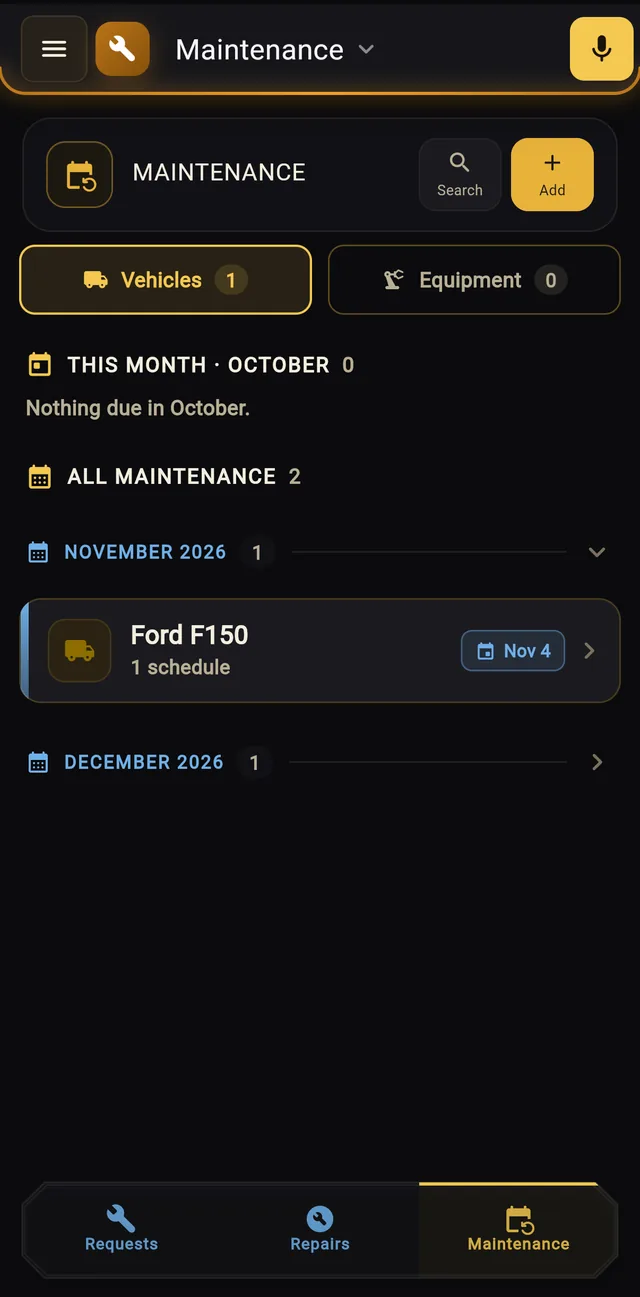
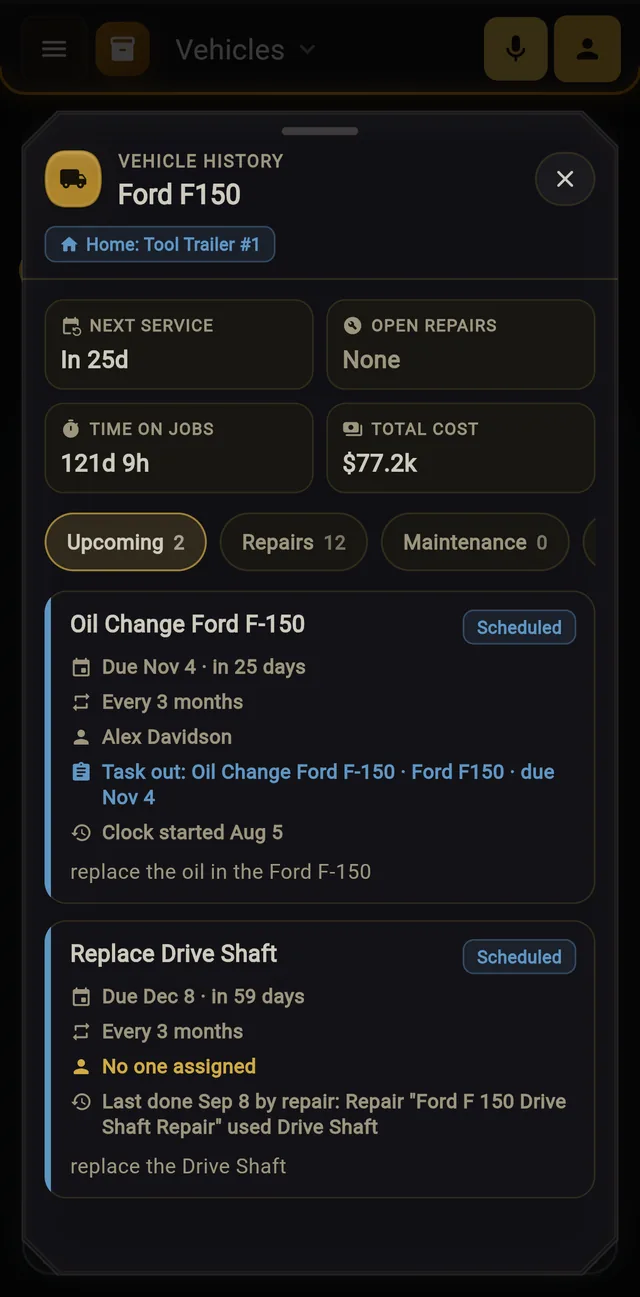
Maintenance board listing upcoming service for a Ford F150 in November and December.
Vehicle history for a Ford F150: next service in 25 days, no open repairs, 121 days on jobs, $77.2k total cost, and a scheduled oil change every 3 months.

One app for the office and the field

Managers plan the work and see where it stands. Crews see what’s theirs, start it, and log what they used. Everyone works from the same records.

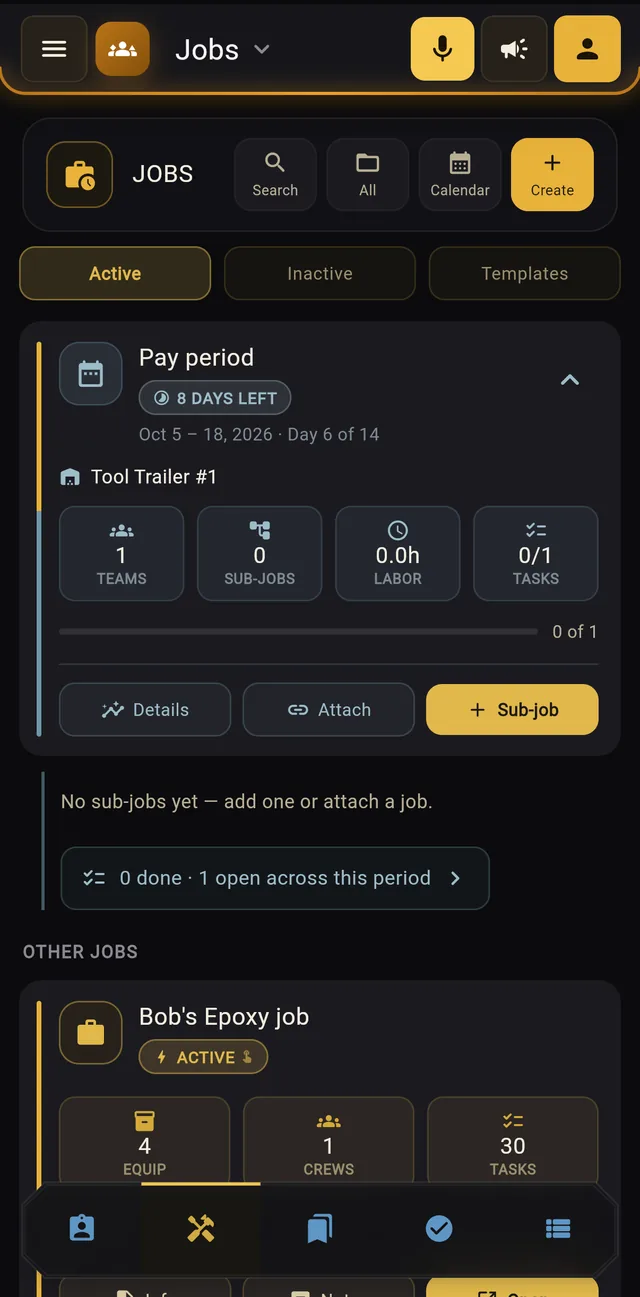
Jobs screen showing the current pay period with teams, sub-jobs, labor hours, and tasks, above an active epoxy job with equipment, crews, and 30 tasks.

Plan jobs around the pay period

Set up jobs and sub-jobs, attach the crews and equipment they need, and watch labor hours and task progress fill in as the pay period runs.

  • Active, inactive, and template jobs in one place
  • Crews, equipment, and vehicles attached to each job
  • Labor hours and task progress for the pay period
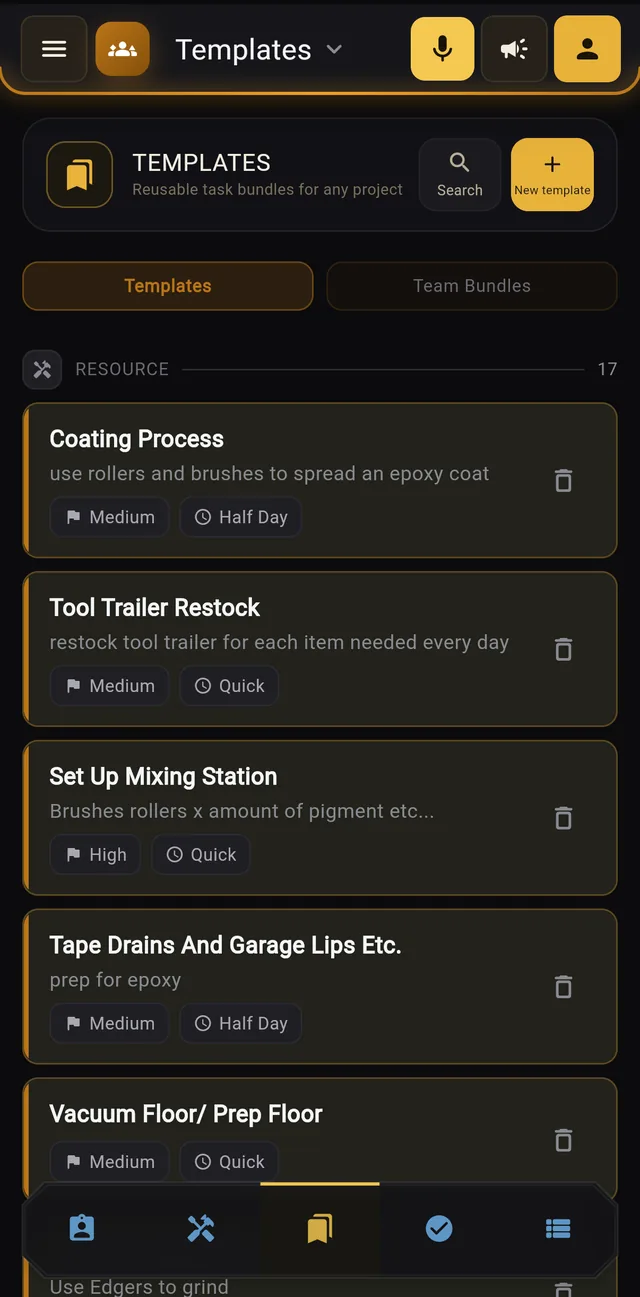
Templates screen with reusable tasks such as Coating Process, Tool Trailer Restock, and Set Up Mixing Station, each with a priority and time estimate.
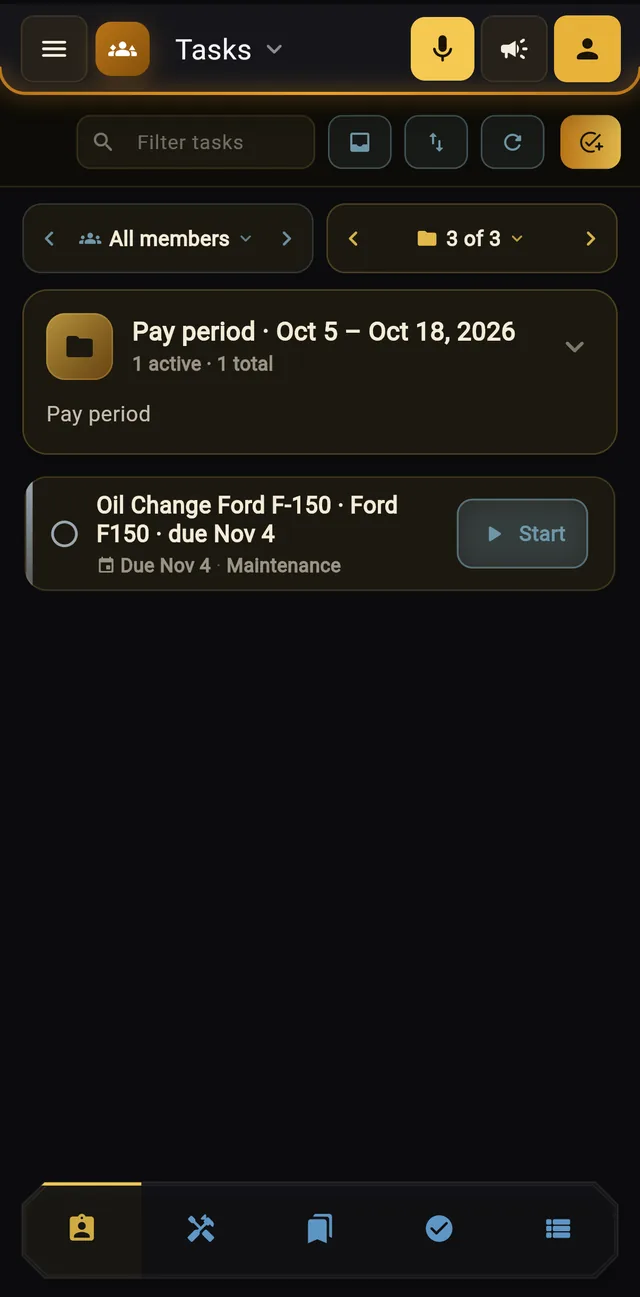
Tasks screen showing a crew member's pay period with a scheduled oil change and a Start button.

Write down how the work gets done, once

Templates hold the steps, priority, and time for the work you repeat, from floor prep to the final coat. Assign them to a job and each person gets their tasks for the pay period, with a Start button right on the card.

  • Reusable task templates and team bundles
  • Each person sees their own list; managers can see everyone’s
  • The know-how stays when someone new starts or someone leaves
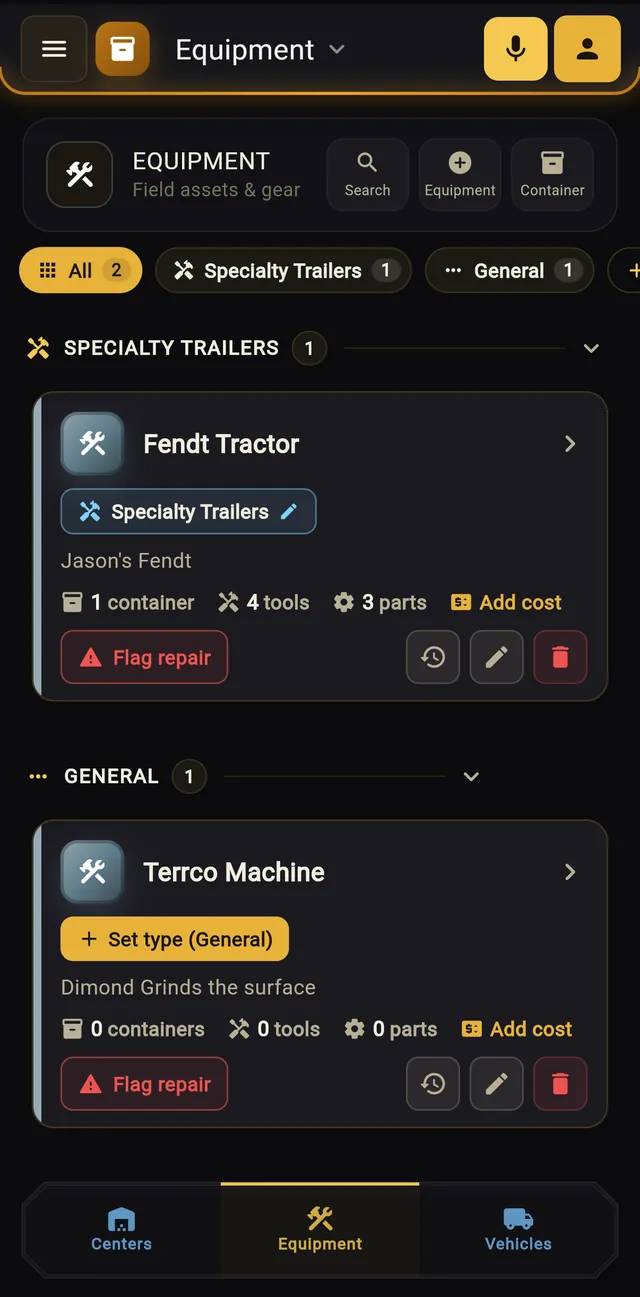
Equipment screen grouping assets by type, each showing its containers, tools, parts, a cost button, and a Flag repair button.

Every machine keeps its own history

Each vehicle and piece of equipment carries its repairs, scheduled maintenance, time on jobs, and what it has cost you. Recurring service comes due on its own schedule, and a repair that replaces the same part counts as the service.

  • Flag a repair right from the asset
  • Recurring maintenance assigned to a person and a pay period
  • Cost history that stays put when you change how you work
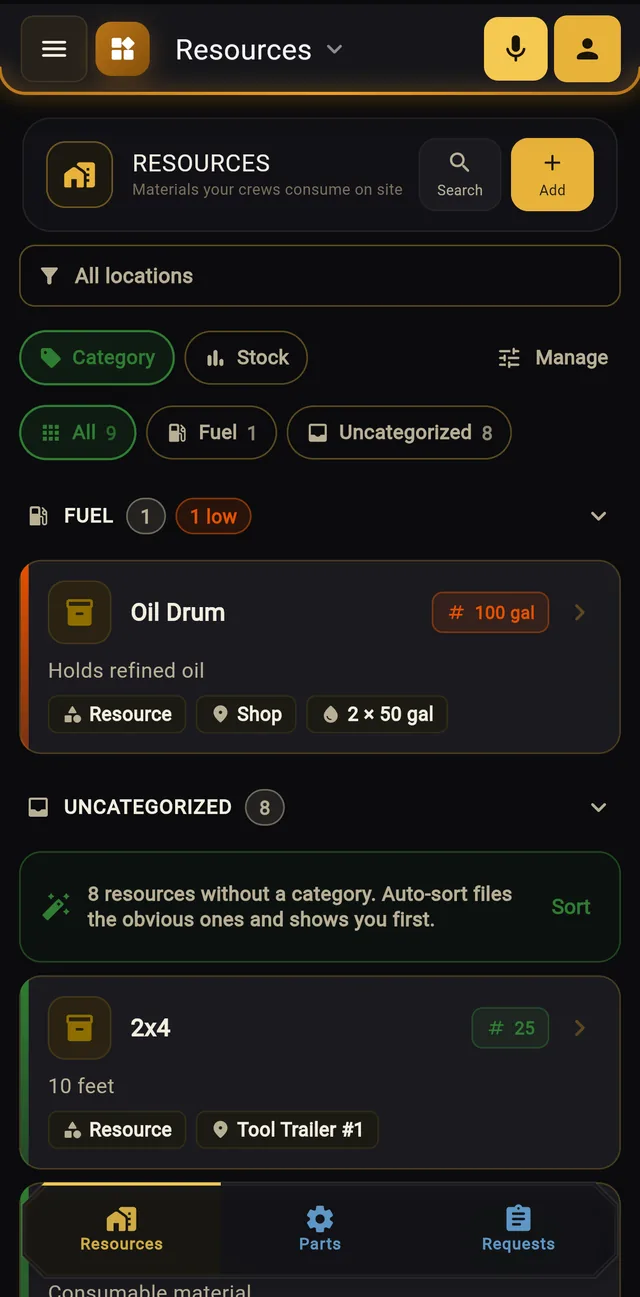
Resources screen showing an oil drum flagged low at 100 gallons and lumber stored on a tool trailer, with categories and stock filters.

Know what’s on the shelf before you need it

Track parts and consumables by location, from lumber on the tool trailer to oil by the gallon. Low stock gets flagged, and crews can request what they need from the field.

  • Counted items and stock measured by volume
  • Low-stock flags so you reorder in time
  • Part requests that the shop can fill and track
You say
“Flag the Fendt tractor for repair, it’s leaking hydraulic fluid.”
CrewFlo drafts

Repair request

Asset
Fendt Tractor
Problem
Hydraulic fluid leak

Hands full? Say it instead.

Tap the mic and say what happened. CrewFlo drafts the task, repair, or equipment record for you to check and confirm. Ask what’s open today or which tools are checked out, and it answers out loud.

  • Knows your crew, equipment, and tool names
  • Nothing is saved until you confirm it
  • Spoken answers for hands-free use on site
Time clock
Clock in and out, with location captured at the start and end of each shift.
Tool checkout
Check tools in and out and see who has what.
Crews and roles
Owners, managers, team leads, and crew members each see what fits their role.
Messages and alerts
Crew messaging and notifications that arrive as things change.
Spanish support
The app in Spanish, for crews who prefer it.
Light and dark mode
Pick one, or follow the phone’s setting.

Implementation, if you want help

You can sign up and set CrewFlo up on your own. For teams that would rather have it done with them, we offer implementation services built around how your operation actually runs.

  1. We learn how you work

    We talk with owners, managers, and crew leads about your jobs, your equipment, and how work gets handed out.

  2. We set CrewFlo up to match

    Your crews, assets, locations, and templates go in before day one, configured for your business rather than a generic setup.

  3. We roll it out and adjust

    We get the crew using it, see what gets used, and simplify whatever slows people down.

Packages range from a guided setup to a full rollout with your crew. Ask about them when you book a demo.

Pricing depends on your team

Your subscription depends on how many people and assets you run. Implementation is quoted separately if you want it. Book a demo and we’ll give you a straight quote.

Book a demo

Or email support@thecrewflo.com